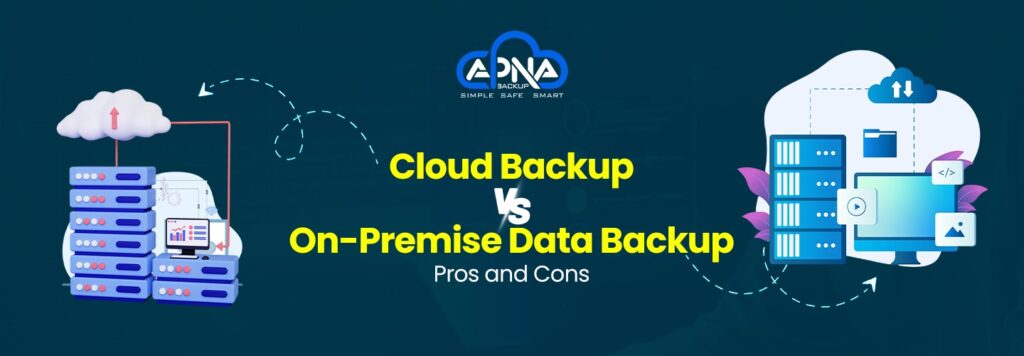
In today’s data-driven world, every business—big or small—needs a robust backup strategy to ensure data security, business continuity, and compliance. One of the key decisions companies face is whether to choose a cloud-based or on-premise data backup solution. Both have their strengths and drawbacks, and the choice depends on several factors, including budget, scalability, control, and recovery speed.
In this blog, Apna Backup helps you understand the pros and cons of cloud vs on-premise data backup to help you make an informed decision for your business.
What is On-Premise Data Backup?
On-premise data backup refers to storing data on local servers, hard drives, or other physical storage devices located within your organization’s premises. Businesses manage, maintain, and secure the infrastructure themselves.
Pros of On-Premise Data Backup
- Your organization has complete control over how and where the data is stored, backed up, and accessed.
- Since the backup infrastructure is local, restoring files doesn’t require internet connectivity.
- Data backup is generally quicker since there’s no bandwidth limitation involved.
- Businesses can customize their backup policies and schedules as per internal needs.
Cons of On-Premise Data Backup
- Requires significant investment in hardware, software, and IT staff.
- As data grows, scaling up storage requires additional investment and space.
- Local backups are vulnerable to theft, fire, hardware failure, or natural disasters.
- Requires in-house IT expertise for regular maintenance, updates, and security patches.
What is Cloud Data Backup?
Cloud data backup involves storing data on remote servers maintained by third-party providers like Apna Backup. Data is transmitted over the internet and stored in secure, geographically redundant data centers.
Pros of Cloud Data Backup
- Easily scalable to meet the growing needs of your business without extra hardware.
- Pay-as-you-go or subscription models eliminate the need for large capital investments.
- Backup and recover data from anywhere with internet connectivity.
- Scheduled and automated backups reduce the risk of human error.
- In case of hardware failure or disaster, data remains safe and can be restored quickly.
- Apna Backup ensures high-end encryption, compliance, and 24/7 monitoring.
Cons of Cloud Data Backup
- Backup operations require a reliable and high-speed internet connection.
- Monthly or yearly subscription fees can add up over time.
- Businesses depend on third-party providers for access, uptime, and security policies.
- Uploading or downloading large volumes of data may take time, especially with limited bandwidth.
Cloud vs On-Premise: Feature-by-Feature Comparison
| Feature | Cloud Backup | On-Premise Backup |
| Cost | Lower upfront, subscription-based | High upfront, maintenance costs |
| Scalability | Highly scalable | Limited scalability |
| Accessibility | Remote access from anywhere | High upfront maintenance costs |
| Recovery Speed | The internal team responsible for security | Generally faster locally |
| Maintenance | Access is restricted to physical location | In-house IT required |
| Security | Provider-based encryption & compliance | Provider-managed |
| Disaster Recovery | Depends on the internet speed | Weak unless off-site copy is maintained |
When Should You Choose On-Premise Backup?
- You have strong in-house IT support.
- Internet connectivity is limited or unreliable.
- You require complete data control and regulatory compliance.
- You have already invested in local infrastructure.
On-premise backup is ideal for businesses with highly sensitive data or where physical control is a regulatory requirement.
When Should You Choose Cloud Backup?
- You’re a small- to mid-sized business with limited IT resources.
- You want flexible, scalable, and cost-effective data storage.
- You require quick disaster recovery and 24/7 remote access.
- You want minimal maintenance and automatic backup scheduling.
Cloud backup, like the solution offered by Apna Backup, ensures data safety, compliance, and peace of mind without overburdening your team.
Hybrid Backup: Best of Both Worlds
A hybrid approach combines both cloud and on-premise backups. Frequently accessed or critical data can be backed up locally for faster recovery, while long-term data storage can be handled via the cloud. This method reduces risk and ensures business continuity under all circumstances.
Apna Backup supports hybrid backup strategies to help businesses achieve the perfect balance between cost, speed, and security.
Apna Backup: Your Trusted Data Backup Partner
Whether you’re leaning toward cloud, on-premise, or hybrid backup, Apna Backup offers:
- Real-time data sync
- Instant backup solutions
- 100% data security with encryption
- Automated scheduling
- Scalable storage plans
- Dedicated support and monitoring
With Apna Backup, you don’t just store data—you protect your business.
Conclusion
Choosing between cloud and on-premise data backup depends on your business size, infrastructure, budget, and data sensitivity. Both options come with their own advantages and limitations. Understanding the pros and cons of cloud vs on-premise data backup helps you make a well-informed, strategic decision.
Trust Apna Backup to guide you every step of the way toward a secure, scalable, and reliable data protection solution.
Looking for a custom backup solution? Contact Apna Backup today and secure your digital future.